Quote a whole list with Batch Quote
Last updated: October 18, 2026
When a customer sends a list of lanes, in the email or in a spreadsheet, Batch Quote prices every one of them at once and builds a single reply with each quote numbered in order. In Patrick's demo, 17 lanes go from inbox to sent in about a minute.
Prefer a narrated walkthrough? Watch Patrick quote 17 lanes in about a minute.
Here's the kind of email we mean
From: Kevin Tran, Delmar Packaging
Subject: Spot rates needed - lanes for next week
Attachment: 📎 Lanes_wk12.xlsx
Hi team,
Attached are the lanes we need covered next week. All 53' dry van unless noted. Please send rates by Thursday noon.
A couple of the big ones:
1) Chicago, IL to Dallas, TX
2) Atlanta, GA to Miami, FL
…and the rest are on the sheet.
Thanks,
Kevin
Kit reads lanes from the email body and from attachments: Excel, CSV, PDF, Word, and even images of a lane list.
1. Open the email
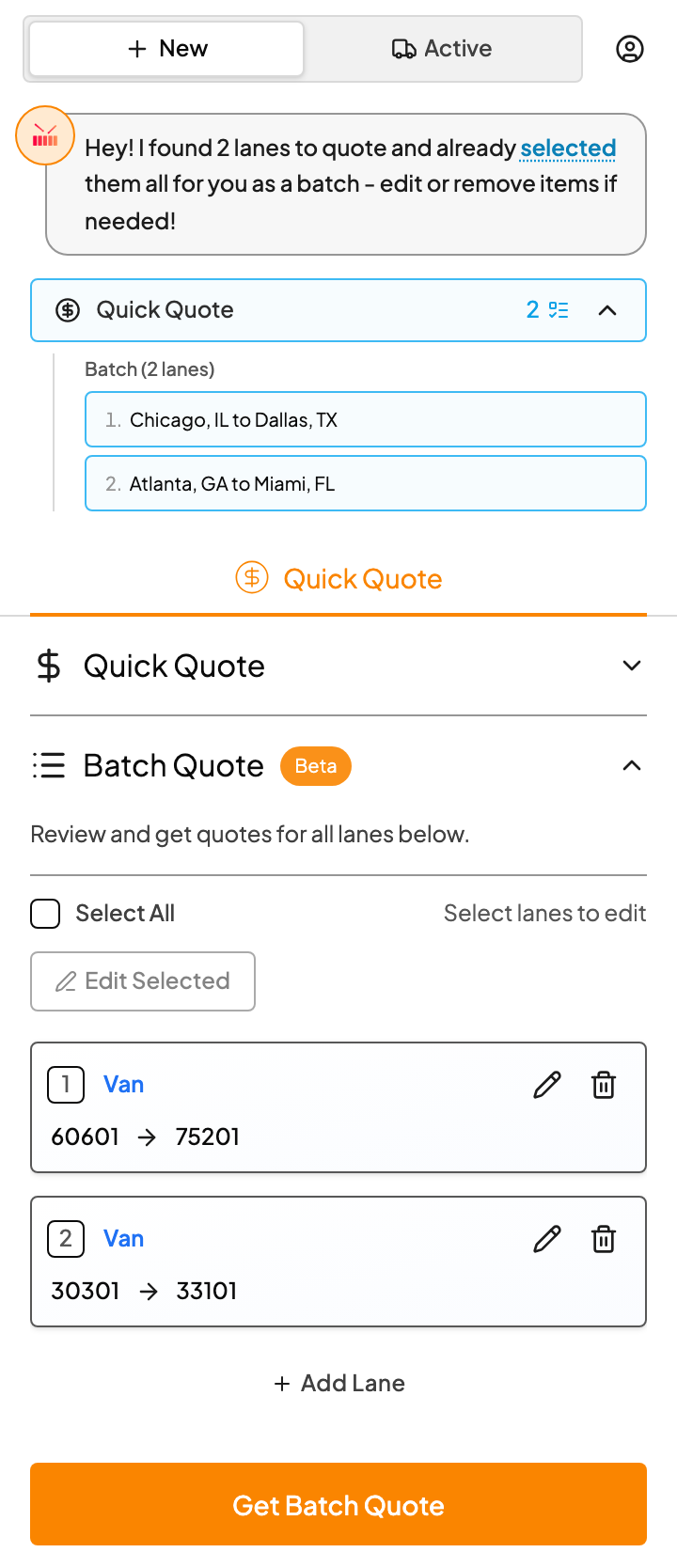
When Kit finds two or more lanes, it groups them as a batch and loads them all into Batch Quote.
2. Review the lanes
Each lane gets its own card. Scan down and fix anything that looks off:
- The pencil icon lets you change a lane's equipment, pick or drop.
- The trash icon removes a lane you're not quoting.
- Add Lane adds one Kit missed.
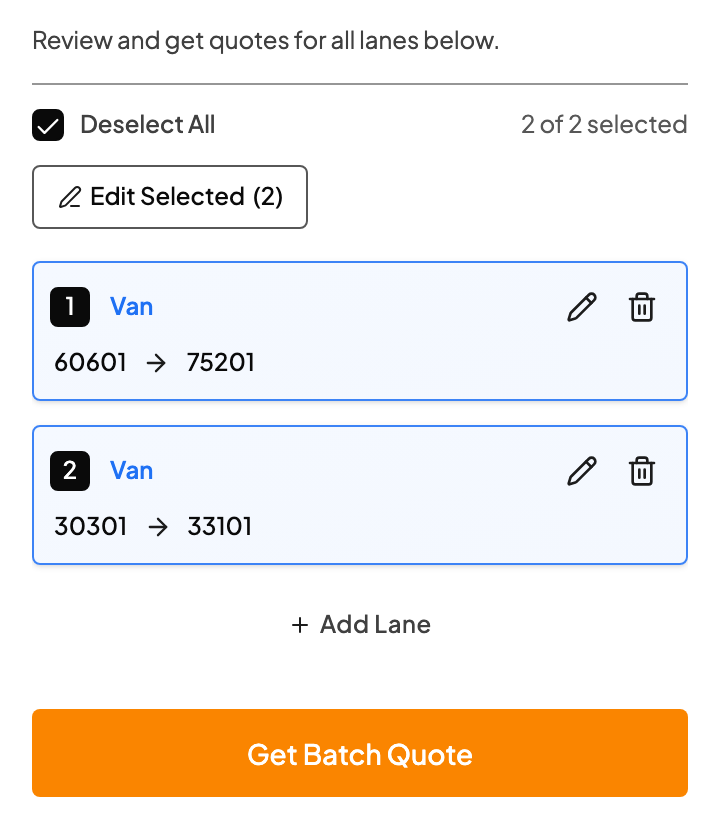
Fix equipment before you click Get Batch Quote. Once lanes are priced, bulk edit switches to margin, rate source and price format.
Lots of lanes need the same equipment? Tick Select All, click Edit Selected, and change them together. See Edit many lanes at once.
3. Price them all
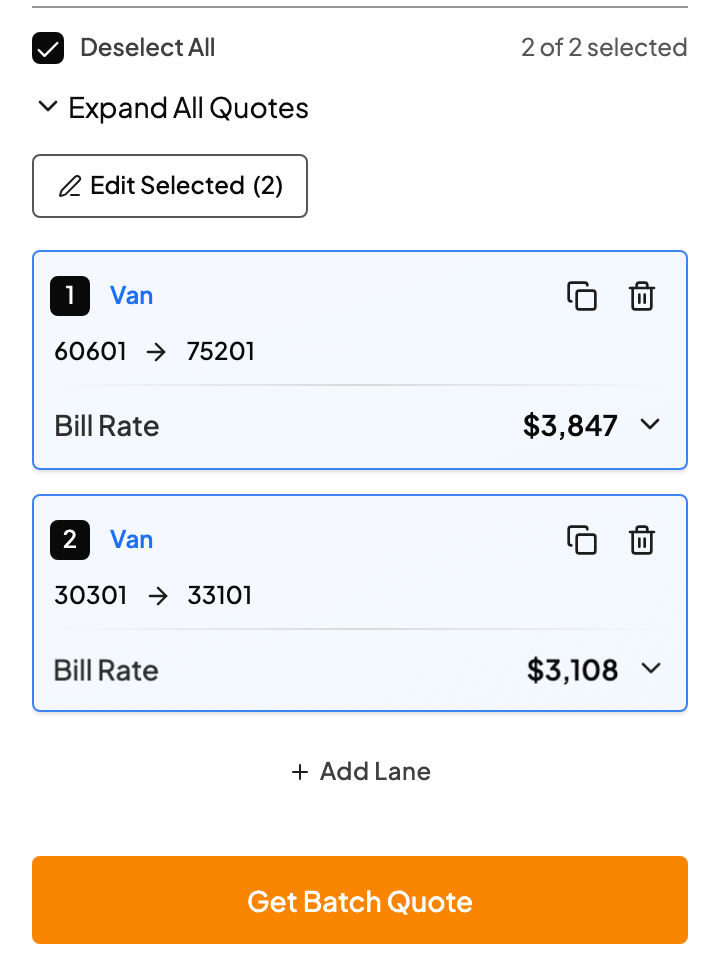
Click Get Batch Quote. Drumkit gets a DAT rate for every lane at the same time. Open any card to see its RateView, market data and rate history, and to adjust truck pay, margin or the bill rate for just that lane.
4. Send one reply
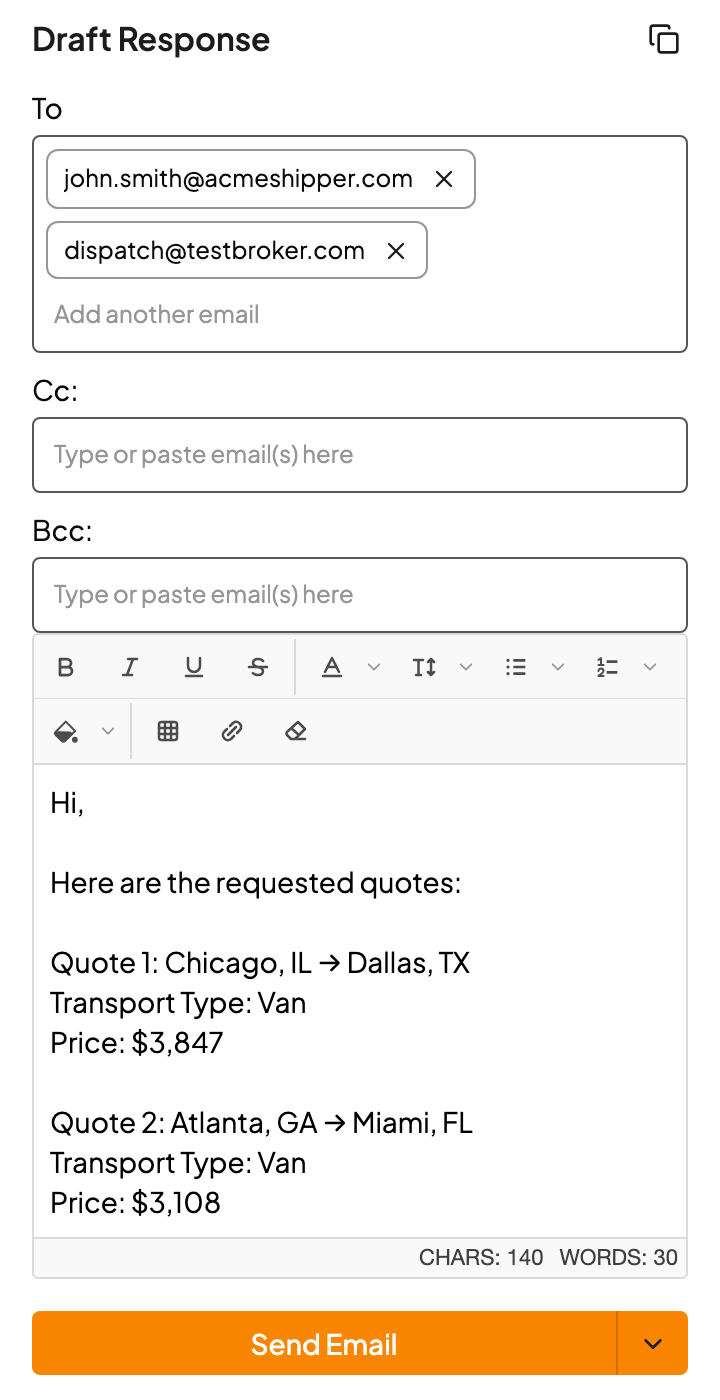
Scroll to Draft Response. Every quote is listed in the same order the customer sent them, so they can match them up line by line. Add a personal note, then click Send Email or choose Draft Email.
FAQs
One lane says "Quote lookup failed".
Only that lane had a problem; the rest of the batch is fine. Check the lane's details, then click Try Again on that card.
The draft shows $0 for a moment.
That's just the prices arriving. Give it a few seconds.
Can I send one lane's price on its own?
Yes. Use Copy quote price on that lane's card.
What kinds of loads work in a batch?
Full truckload. If the customer gives equipment once for the whole list, Kit applies it to every lane. If they don't give it at all, lanes start as Van.
Is there a limit on how many lanes?
Kit reads up to 400 lanes from one email. For anything bigger, quote the rest with Add Lane or ask the customer to split the list.
My edits to the draft disappeared.
Click outside the editor after editing so your changes are saved, then send.
Related