When Kit is still reading a new email
Last updated: October 18, 2026
Opened a quote request the moment it landed? Kit may still be reading it. You'll see a drum playing at the top of the sidebar and the message Still processing this thread's latest email... Give it a few seconds and the lanes fill in on their own.
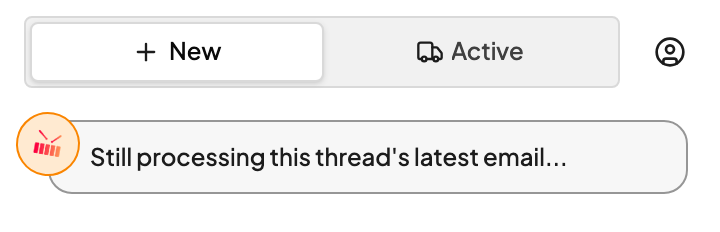
What's happening
When a new email arrives, Kit reads the whole thing: the body, the thread, and any attachments. It works out who's asking, which lanes they want priced, and what equipment and dates go with each one. That takes a moment, especially when there's a spreadsheet or PDF attached.
How long it takes
| The email has… | Usually ready in |
|---|---|
| One lane in the body | 10–20 seconds |
| A few lanes, or a spreadsheet or short PDF | 20–60 seconds |
| A long PDF or a big list of lanes | 1–3 minutes |
What to do
- Keep the sidebar open. Kit keeps checking, and the lanes appear by themselves when it's done. No need to click away and back.
- Or move on. Answer another email and come back. Kit will be done by the time you return.
In a hurry? You can start filling in Quick Quote yourself while you wait. Kit won't overwrite what you've typed when its suggestions arrive.
FAQs
It's been a couple of minutes and nothing showed up.
Big lists and long PDFs can take a few minutes, and the sidebar stops checking after two. Click a different email, then come back to this one. If Kit still has nothing, see Kit didn't find my quote request. You can always quote it by hand in the meantime.
Why don't I see this on every email?
Most of the time Kit has finished long before you open the email, so the lanes are already waiting for you. You'll mostly see the drum on emails you open the second they arrive.
Related