Meet Kit: how Drumkit finds your quote requests
Last updated: October 18, 2026
Kit is the assistant at the top of the Drumkit sidebar. It reads your incoming email, finds every lane a customer wants priced, and has them ready when you open the sidebar.
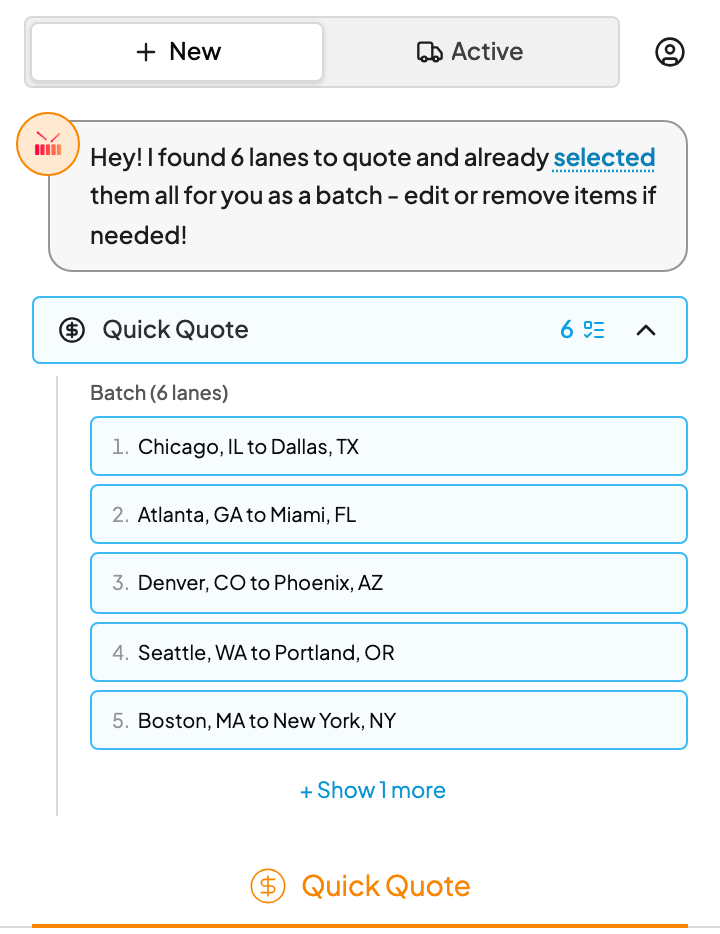
What Kit shows you
| When the email has… | Kit… |
|---|---|
| One lane | Selects it and fills in Quick Quote, ready to price. |
| A few lanes | Lists them as numbered pills and selects the first. Click a pill to switch. |
| A list of lanes | Groups them into a batch and loads them all into Batch Quote. |
| Nothing to quote | Says No suggestions found. You can still fill in Quick Quote yourself. |
If a pill isn't a real request, dismiss it and Kit will skip it.
Opened an email the second it arrived and see a drum playing? Kit is still reading it. The lanes appear on their own in a few seconds. See When Kit is still reading a new email.
See what's handled
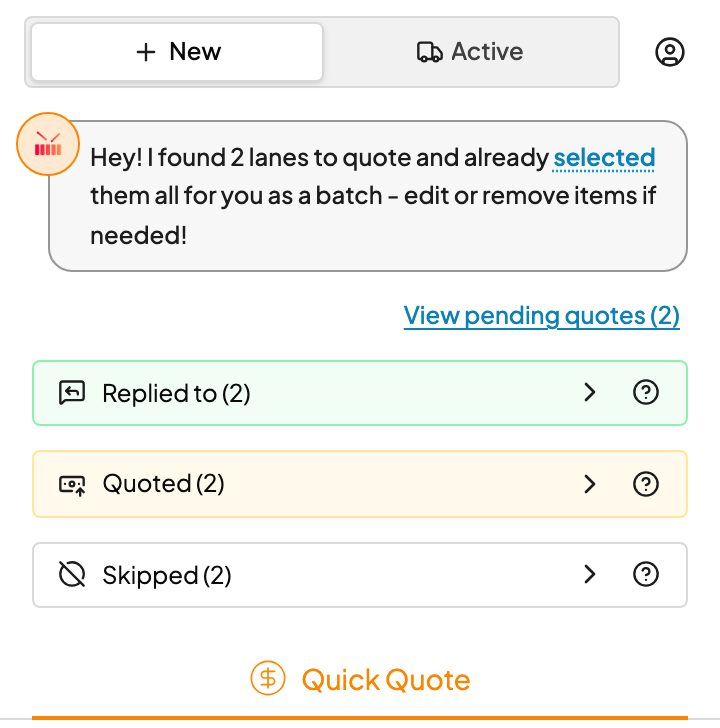
Kit keeps track of every request on a thread. Click View previous quotes to see them in three groups:
- Replied to: someone replied to the customer. Automatic replies don't count.
- Quoted: you sent, drafted or copied a quote from Drumkit.
- Skipped: you dismissed it, or it went more than 7 days without a quote or a reply.
When everything on a thread is done, Kit says All quotes on this thread are handled.
FAQs
What does Kit read?
The email body and common attachments: PDFs, Word docs, Excel and CSV files, and images of lane lists. It ignores email signatures and automated notices from TQL systems.
Why isn't a request marked Quoted? I looked at it.
Opening a lane or clicking Get Quick Quote doesn't count. Sending, drafting or copying the quote from Drumkit does. That's how Kit tells "looked at it" apart from "got a number back to the customer."
Kit got something wrong.
Fix it in the sidebar before you price, then let us know. See Fix it when Drumkit misreads an email.
Kit didn't find anything on an email that's clearly a quote request.