Quote a multi-stop lane
Last updated: October 18, 2026
When a load has extra picks or drops, Drumkit lists every stop in order and prices it two ways, so you can pick the one that fits the move.
Prefer a narrated walkthrough? Watch Patrick quote a multi-stop load.
Here's the kind of email we mean
From: Maria Lopez, Pinecrest Foods
Subject: Quote needed: Houston to Chicago w/ 2 stops
Morning,
Looking for a dry van rate on this one:
Pick: Houston, TX
Stop 1: Dallas, TX (drop 8 pallets)
Stop 2: St. Louis, MO (drop 10 pallets)
Final: Chicago, IL
Ready Tuesday. Let me know what you can do.
Maria
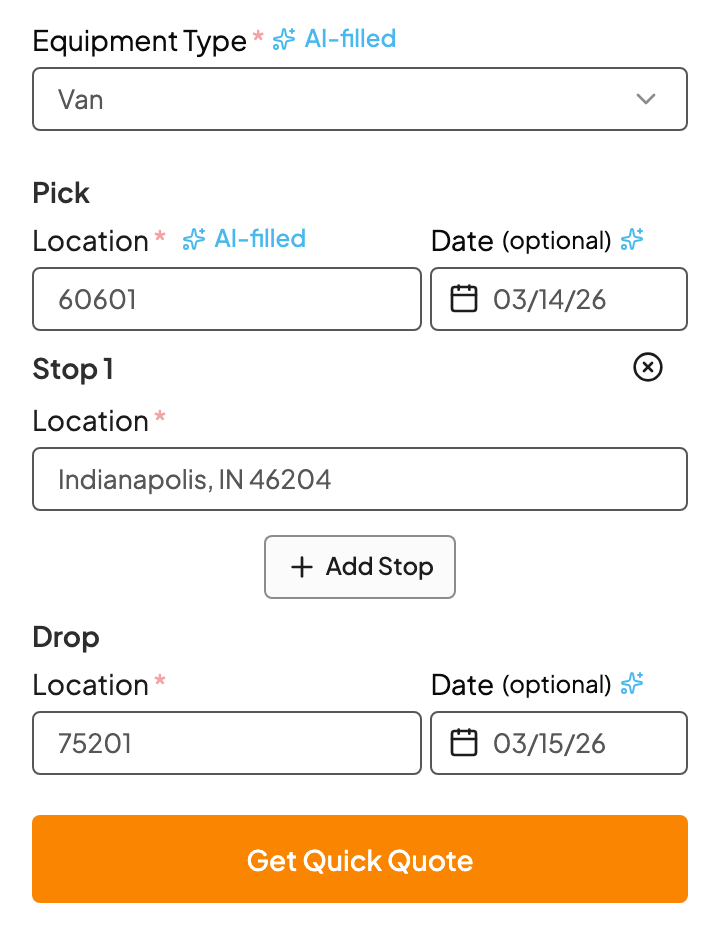
1. Check the stops
Open the email and the sidebar shows every stop Kit found, in order. Make sure the first pick and the final drop are right, then check the ones in between. Use Add Stop for anything missing, or remove a stop that doesn't belong.
2. Compare the two prices
Click Get Quick Quote. You'll see two prices, and they can be quite different:
| Price | How it's worked out |
|---|---|
| Leg-to-Leg | Each leg is priced on its own, then they're added up. You can see every leg's rate in the breakdown. |
| Longest Leg | Total miles across all legs times the longest leg's per-mile rate, plus a fee for each extra stop. |
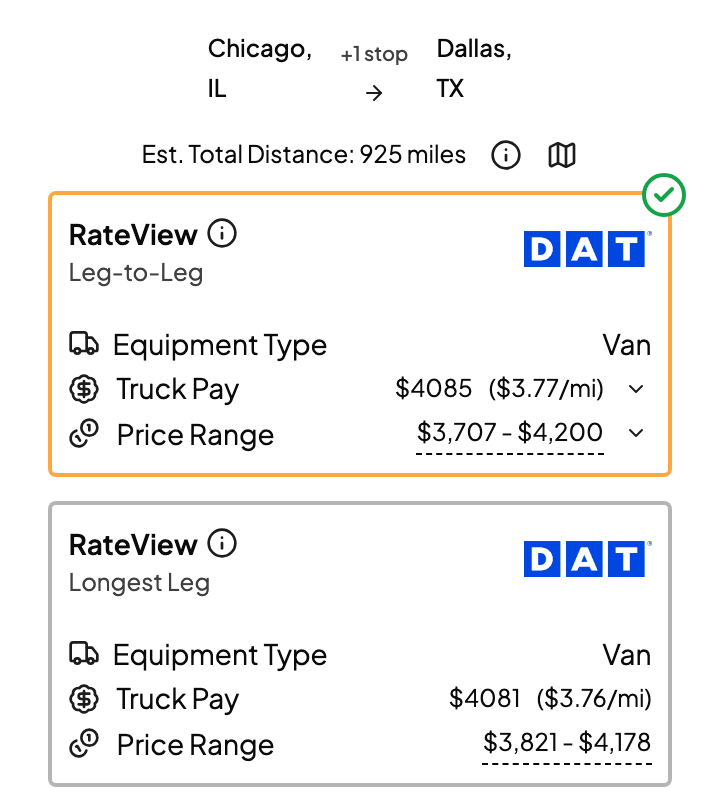
The per-stop fee on Longest Leg is yours to set on each quote: $100, $250, whatever the load calls for. The price updates as you type.
3. Finish as usual
Choose the price you want, set your margin, and send. It works just like a single-lane quote.
FAQs
Which price should I use?
It depends on the load. Leg-to-Leg tends to suit stops that are far apart, where each leg is really its own move. Longest Leg tends to suit stops close together along one route. When in doubt, look at both and use your judgment.
Kit missed a stop.
Click Add Stop and type it in. If it happens a lot with one customer, let us know so we can improve how Kit reads their emails.