Read your DAT rate and market data
Last updated: October 18, 2026
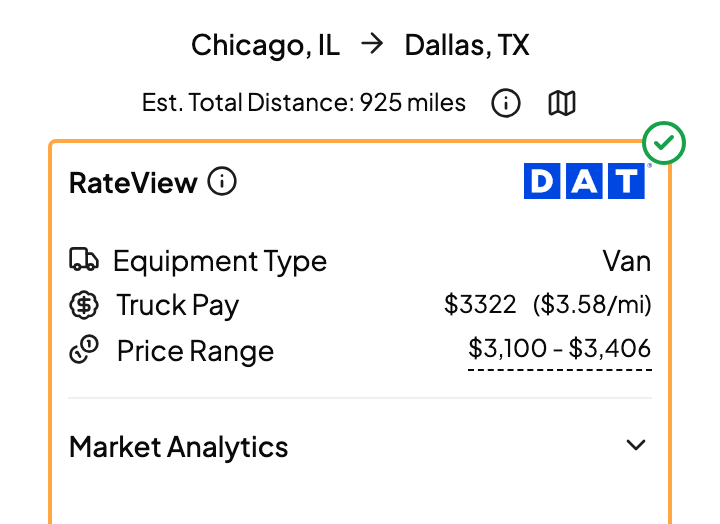
After you click Get Quick Quote, the RateView card shows DAT's spot rate for the lane, how wide the market is, and how tight capacity is at each end. Here's how to read it and how to change what you're looking at.
The rate and range
- Truck Pay is DAT's broker-to-carrier spot rate for the lane: roughly what it should take to cover it.
- Price Range is the low and high end DAT is seeing. A wide range usually means a volatile or thin lane.
- All prices include fuel.
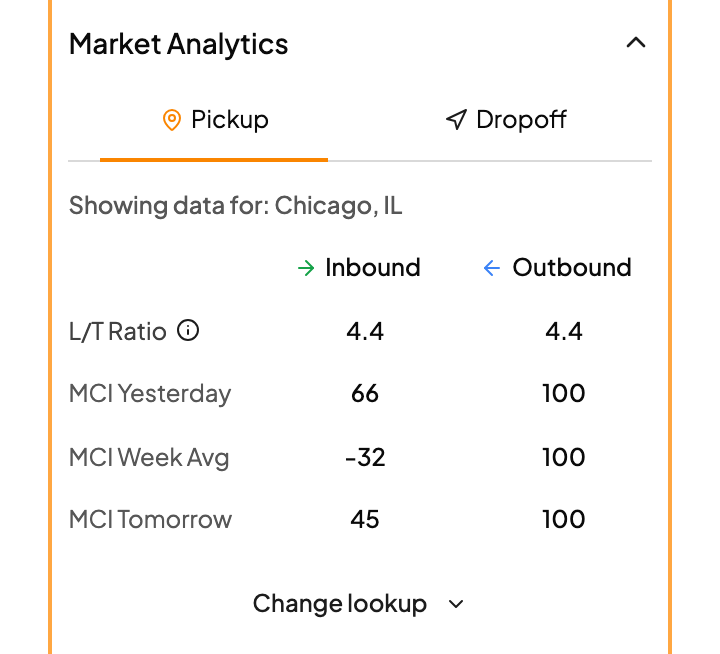
Market Analytics
Market Analytics shows capacity at the pick and drop markets. The number to watch is the load-to-truck ratio: more loads per truck means carriers have options, and rates tend to climb. It's a quick way to decide whether to quote toward the top or the bottom of the range.
Change the lookup
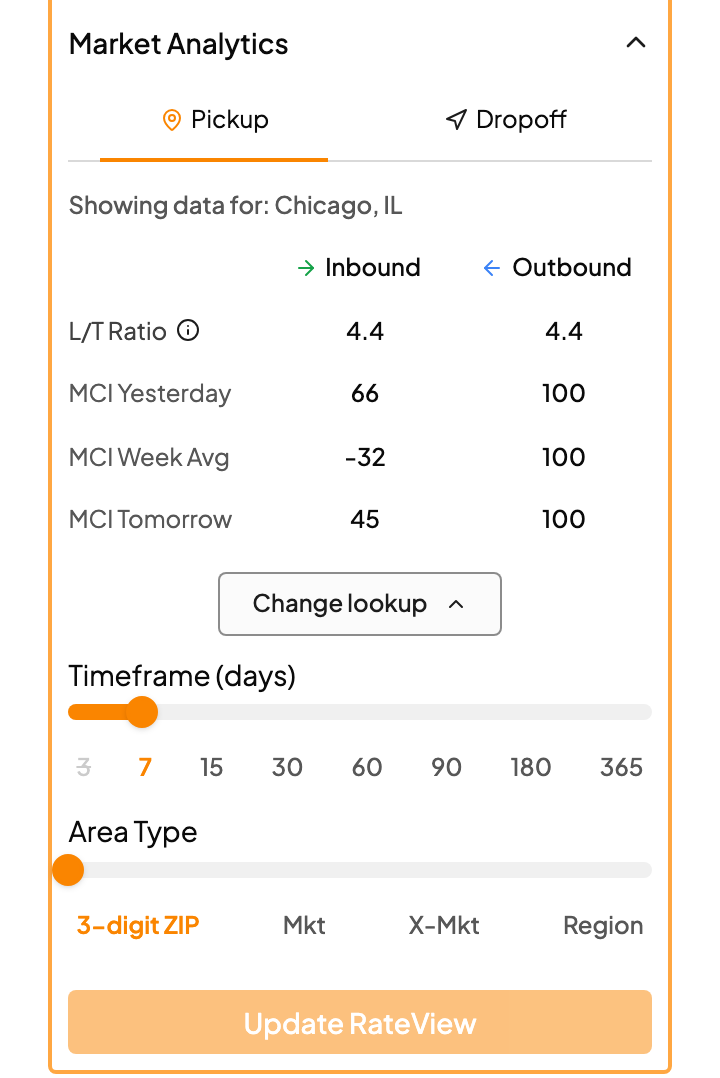
By default you're seeing the last 7 days for the lane's market. To change that, click Change lookup:
- Pick a Timeframe (days), from 3 days up to a year.
- Pick an Area Type, from a 3-digit ZIP out to market, extended market, state, region or country.
- Click Update RateView.
Thin lane with no rate or a huge range? Go wider: a longer timeframe or a bigger area usually fills it in.
Lane history
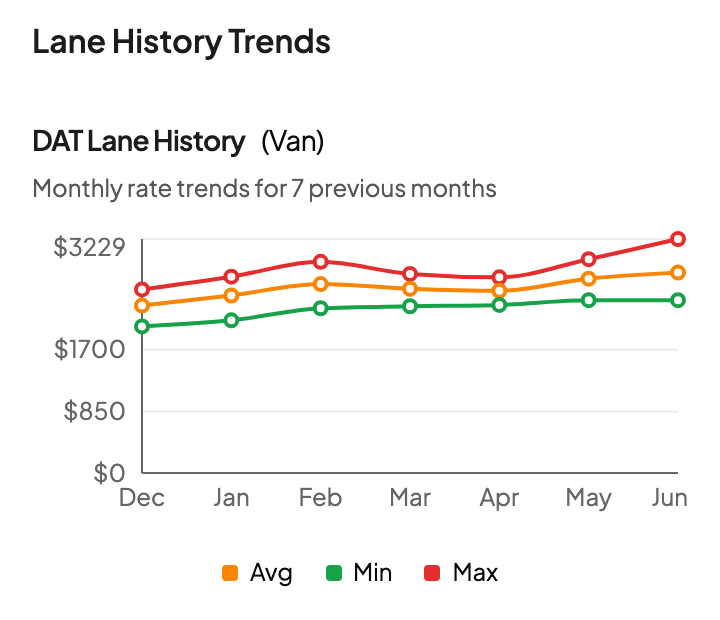
Lane History Trends shows the monthly high, average and low DAT spot rate for the lane over recent months. If it isn't showing yet, click Get DAT Rate History. Use it as a gut check: is today's rate high or low for this lane, and which way is it heading?
FAQs
Why doesn't my rate match DAT.com?
Usually one of three things:
- Miles. Drumkit uses PC*Miler practical miles. DAT.com uses its own mileage, so the same per-mile rate gives a slightly different total. Hover over the rate and Drumkit shows you both mileages.
- Lookup. If DAT.com is set to a different timeframe or area, match it with Change lookup.
- Spot vs. contract. Drumkit shows spot rates. A contract rate will be different.
Does Drumkit use contract rates?
No. Quick Quote uses DAT broker-to-carrier spot rates.
Will changing the lookup change my quote?
Yes. After you click Update RateView, the new rate flows into Rate Breakdown and your draft reply.
I don't see a rate at all.
Related