Quote a single lane
Last updated: October 18, 2026
Open the email, check the lane, click Get Quick Quote, and send.
Prefer a narrated walkthrough? Watch Patrick quote a lane from start to finish (4 min).
Here's the kind of email we mean
From: John Smith, Acme Shippers
Subject: Rate Quote Request - Chicago IL to Dallas TX
Hi,
Could you send me a rate on the load below? Need to know by end of day if possible.
Origin: Chicago, IL 60601
Destination: Dallas, TX 75201
Pickup: Fri 3/14, deliver Sat 3/15
42,000 lbs dry goods, 53' van
Thanks,
John
1. Open the sidebar
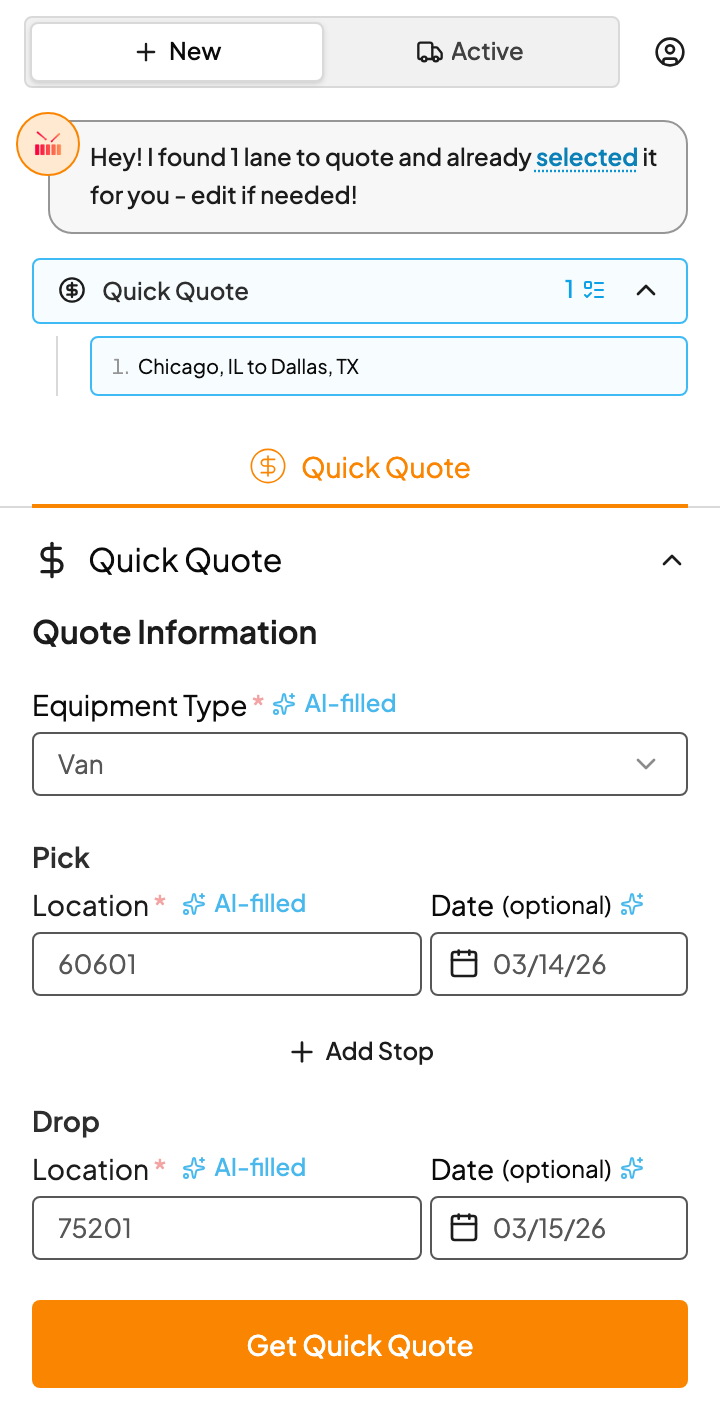
Open the email and click the Drumkit icon. Kit tells you it found the lane and has it filled in, ready to price.
2. Check the lane
Give the fields a quick look. Anything marked AI-filled came from the email.
- Equipment Type: van, reefer, flatbed and so on.
- Pick and Drop: a ZIP or city and state.
- Date: optional. Leave it blank if the customer didn't give one.
If something's off, fix it here. Nothing goes to the customer until you send it.
3. Get the rate
Click Get Quick Quote. In a few seconds you'll see DAT's RateView card with the rate, the price range, and market data for both ends of the lane.
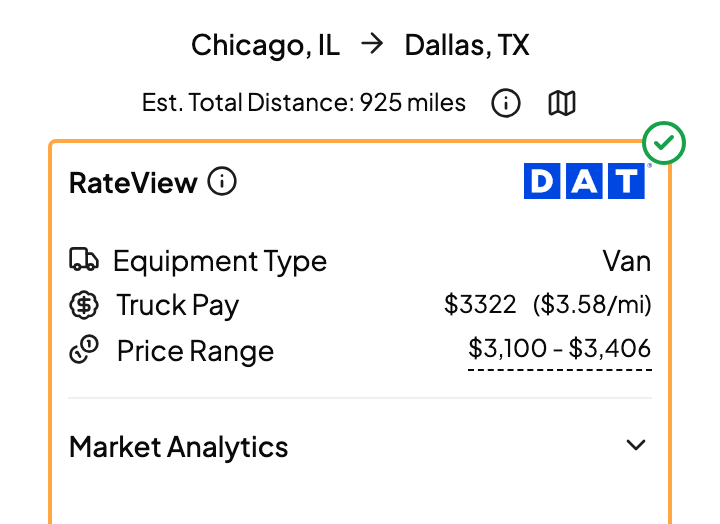
Want to understand every number on this card? See Read your DAT rate and market data.
4. Set your bill rate
Scroll to Rate Breakdown. Your margin is already applied to the truck pay. Change it for this quote, or click the Bill Rate and type the exact number you want to quote.
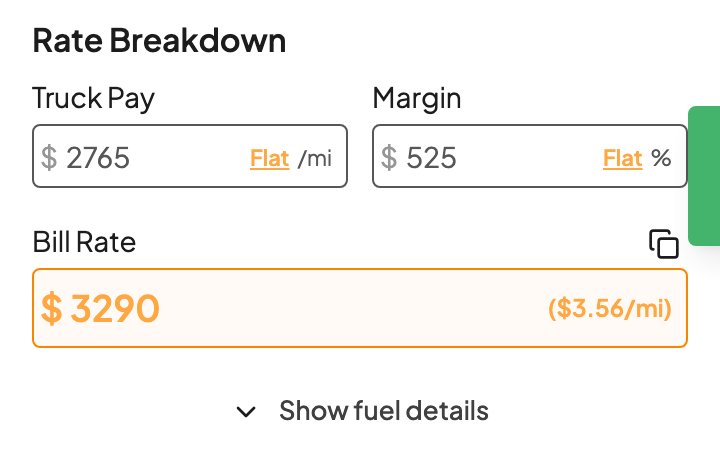
Quote the same margin most of the time? Save it as your default so every quote starts there. See Set your truck pay, margin and bill rate.
5. Send it
At the bottom, Draft Response has your reply written and addressed to John. Edit it if you like, then click Send Email. Want to look it over in Outlook first? Pick Draft Email from the dropdown.
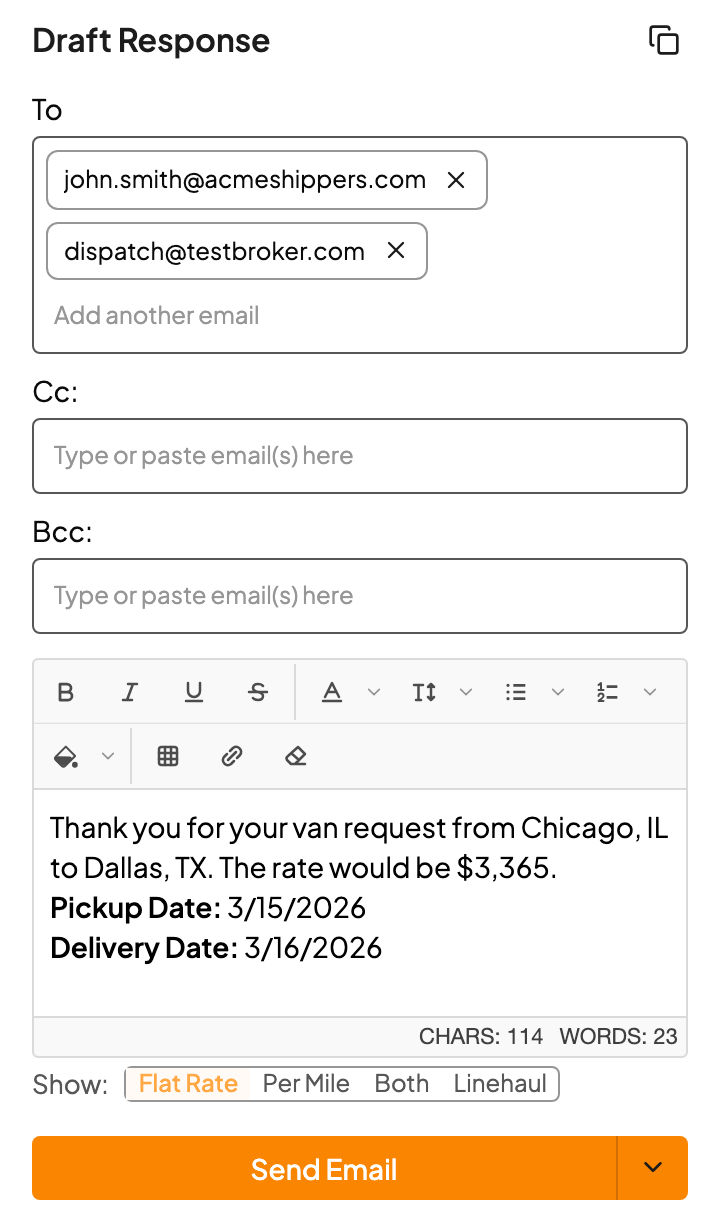
That's it. Kit marks the request as Quoted and you're on to the next one.
FAQs
The email has more than one lane. What do I do?
Kit lists each lane as a numbered pill at the top. Quote the first, then click the next pill. If there are more than a few, Batch Quote is faster: it prices them all at once and puts them in one reply.
Why did Quick Quote reset?
Quick Quote follows the email you have open. Click a different email and it starts fresh for that one. Switching to another app and back doesn't reset it. Finish and send before you move on.
I already started a reply in Outlook. Can I add the quote to it?
Yes. When a reply window is open, you'll see Add reply to current draft. It drops the quote into the reply you're writing.
What if the customer gave the address in their signature?
Kit ignores email signatures on purpose, so it doesn't mistake the sender's office for a pickup. Type the location in yourself.
The customer didn't say what equipment they need.
Kit fills in Van when the email doesn't say. Change Equipment Type if you know it's something else.
Do I have to fill in the dates?
No. Dates are optional and don't stop you getting a rate.